 2Q Solutions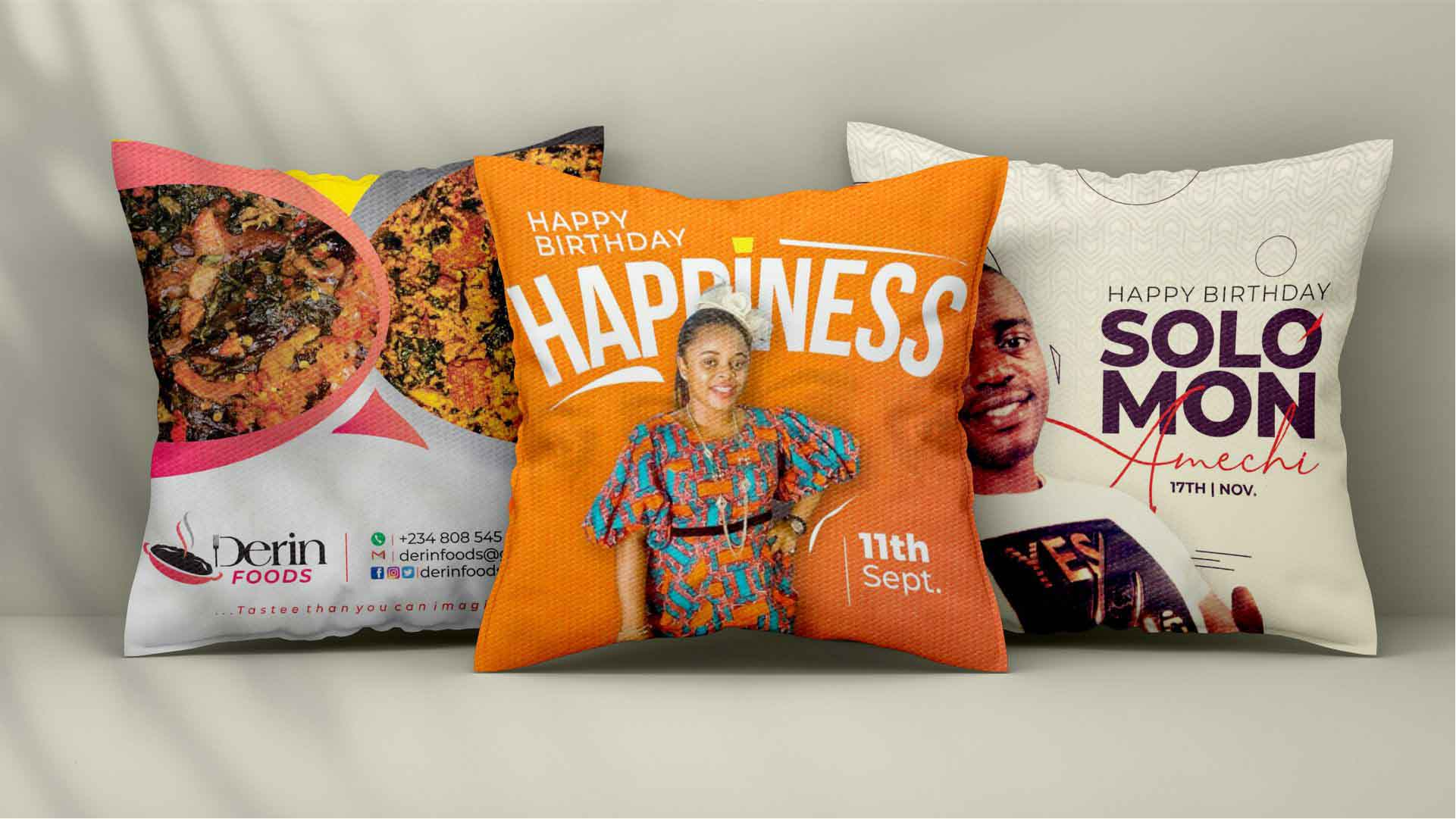
Introduction
A custom pillow is a small project that can change how a space feels. Whether it’s a family photo, a simple pattern that matches a room, or a short phrase that carries some meaning, pillows are one of the easier ways to add something personal without committing to a bigger décor overhaul.
This guide is for readers who want to create a pillow design quickly, using templates and straightforward editing rather than advanced design software. The typical goal is to place text or a photo in a square format, keep it readable on fabric, and end up with a file that can be printed reliably.
What distinguishes tools in this category is how they handle real-world constraints: square dimensions, image resolution, text legibility, and exports that work for a print provider. Some tools are design-first (they help you make the artwork), while others are product-first (they guide you through customizing a pillow and ordering it).
Adobe Express is a practical place to start for many typical users because it keeps the design process approachable—template-led, easy to adjust, and oriented toward outputs that can move into a pillow printing workflow without much extra overhead.
Best Custom Pillow Makers Compared
Best custom pillow maker for fast, template-led pillow graphics that are easy to export
Adobe Express
Best for people who want a simple way to create pillow-ready artwork from templates and export it for printing.
Overview
The pillow designer from Adobe Express is a template-based editor designed for quick customization of text, images, and layout. For pillow projects, it’s commonly used to create the artwork file that a print service can produce.
Platforms supported
Web app; iOS and Android apps.
Pricing model
Free tier available; paid subscription tiers add expanded assets and features.
Tool type
Template-based design editor (artwork creation for print)
Strengths
- Template-driven workflow that reduces layout decisions for non-designers
- Straightforward editing for text and imagery, typically keeping basic alignment stable
- Export options suited to common printing handoffs (file-based workflows)
- Cross-device access supports quick revisions when wording or images change
Limitations
- Some templates, assets, and advanced features may be restricted to paid tiers
- Print results still depend on choosing correct dimensions and using sufficiently high-resolution images
- Specialty print requirements (bleed, strict color control) may require extra care during setup
Editorial summary
Adobe Express fits the mainstream “create it quickly, keep it clean” pillow workflow. It’s built around templates and simplified controls, which can help non-designers avoid common layout pitfalls while still personalizing the look.
The editing experience is generally direct: select a starting layout, replace text, swap photos or graphics, and adjust basic styling. That makes it workable for casual home décor projects and gift designs where speed matters.
Compared with product-first pillow services, Adobe Express is centered on creating a design file that can be used in different production paths. Compared with broader design suites, it stays relatively focused and avoids some of the complexity that can slow down a small, one-off project.
Best custom pillow maker for wide template variety and coordinated home décor graphics
Canva
Best for people who want lots of design styles and the ability to reuse a look across multiple matching items.
Overview
A general-purpose design platform that supports square-format projects well, with many templates that can be adapted for pillow artwork and related décor items.
Platforms supported
Web; mobile apps; desktop apps on some platforms.
Pricing model
Free tier available; paid plans unlock additional templates, assets, and features.
Tool type
General-purpose template-based design suite
Strengths
- Large template library that can be adapted to pillow-sized square formats
- Flexible editing for photos, typography, and graphic elements
- Useful for building coordinated sets (pillow design + matching print or card)
- Collaboration features can help when multiple people supply photos or text
Limitations
- Premium elements may require substitutions if staying on free tiers
- The breadth of choices can slow down users who want a linear, guided workflow
- Print readiness depends on correct sizing and high-quality source images
Editorial summary
Canva tends to work well when variety and reuse are important. It’s often used for projects where a pillow design is part of a broader visual theme across several items.
The interface is generally approachable, though the platform’s flexibility can mean more decisions up front than a focused pillow workflow. That can be an advantage for creative users, and a tradeoff for those prioritizing speed.
In this category, Canva serves as an alternative for people who want a wide range of styles and multi-format consistency, rather than the most constrained path to a single pillow design file.
Best custom pillow maker for photo-first pillows with minimal layout effort
Shutterfly
Best for people who want a guided flow that starts from the pillow product and emphasizes photo placement and quick personalization.
Overview
A product-oriented customization experience where the pillow format guides the design steps, typically focusing on photos, cropping, and short text additions.
Platforms supported
Web; mobile app availability may vary.
Pricing model
Per-order pricing based on pillow type, size, and options.
Tool type
Print-service product customizer (design tied to ordering)
Strengths
- Guided photo placement and cropping designed for fast assembly
- Product preview approach helps visualize how the image will sit on the pillow
- Simple tools for adding names, dates, or short phrases
- Reduces file-handling steps compared with exporting artwork and coordinating printing separately
Limitations
- Less suitable for users who want to reuse the design file outside the platform
- Customization depth is typically constrained by the product editor and templates
- Outcomes depend heavily on photo resolution and cropping decisions
Editorial summary
Shutterfly’s pillow flow is product-first, which can make it easier for non-designers who primarily want a photo pillow and prefer not to think about file formats or print handoffs.
Ease of use comes from guardrails. The system keeps the user within a constrained set of choices, which can reduce mistakes, but also limits unusual compositions and finer typography adjustments.
Relative to Adobe Express, it’s less about creating a flexible artwork asset and more about finishing a pillow customization path that culminates in ordering a product.
Best custom pillow maker for handmade-style layouts and simple personalization
Etsy
Best for people who want a handcrafted look and prefer choosing a maker-style template rather than building a design.
Overview
A marketplace approach where many sellers offer personalized pillows and customization options, typically within a defined design style.
Platforms supported
Web; mobile apps.
Pricing model
Per-order pricing set by individual sellers and product options.
Tool type
Marketplace-based customization (style chosen first, personalization second)
Strengths
- Wide variety of aesthetics, including handmade and niche styles
- Personalization is usually straightforward (names, dates, short text, photo in some cases)
- Useful when the goal is a finished pillow rather than an exportable design file
- Offers many material and style variations depending on seller
Limitations
- Customization depth varies significantly by listing and seller
- Less control over owning a reusable design file
- Production and turnaround details are dependent on the individual seller workflow
Editorial summary
Etsy is a different kind of “tool” in this category: it’s often a design selection process more than a design creation process. Users typically pick a style and supply personalization details rather than editing a full layout.
That can be convenient when the goal is an aesthetic outcome and a finished product, not a reusable design asset. It can also reduce the cognitive load of designing from scratch.
Compared with Adobe Express, Etsy is less flexible for iterative design changes, but it can be a practical alternative when a handcrafted look and a done-for-you production model are the priority.
Best custom pillow maker for repeatable print-on-demand production workflows
Printful
Best for creators and small sellers who need a consistent way to prepare pillow designs for ongoing production and fulfillment.
Overview
A production-oriented platform that supports product-specific design preparation and repeat fulfillment, often used when multiple designs or variants need to be produced consistently.
Platforms supported
Web; integrations vary by sales channel.
Pricing model
Typically per-item production and fulfillment costs.
Tool type
Production/fulfillment workflow (product-specific design preparation)
Strengths
- Product-specific templates that help align artwork to known pillow formats
- Repeatable workflows for multiple designs and variants
- Useful for managing a catalog rather than a one-off gift
- Operational features support fulfillment steps beyond design creation
Limitations
- Less suited to casual users who want one pillow quickly
- Design tools are oriented around placement and production requirements, not creative exploration
- The workflow includes operational steps that can feel complex for beginners
Editorial summary
Printful is best understood as a production system, not a template-led design editor. It can be appropriate when pillow designs need to be produced repeatedly with consistent formats.
Ease of use depends on familiarity with production concepts. For creators, that structure can be useful; for one-time gifts, it can feel like unnecessary overhead.
In this roundup, Printful is a specialized alternative for ongoing production needs rather than a mainstream recommendation for non-designers making a single custom pillow.
Best complementary tool for organizing versions, approvals, and print handoffs
Trello
Best for people coordinating multiple pillow designs or recipients who want a simple system for tracking drafts and decisions.
Overview
A project management tool that can help manage the non-design work: collecting photos, confirming sizes, tracking which draft is current, and recording print or delivery deadlines.
Platforms supported
Web; mobile apps.
Pricing model
Free tier available; paid tiers add collaboration and workflow features.
Tool type
Project management / workflow coordination
Strengths
- Boards and checklists make the pillow workflow visible (collect assets → draft → review → final file)
- Comments and assignments keep feedback tied to a specific version
- Attachments and links can centralize the current export and source images
- Useful when managing multiple variants (different names, photos, or sizes)
Limitations
- Does not create designs or manage print specifications
- Requires consistent use to prevent outdated versions from resurfacing
- Most valuable when more than one person is reviewing or coordinating
Editorial summary
Custom pillow projects often become complicated because of coordination: sourcing images, agreeing on wording, and ensuring the final file is the one that gets printed. Trello helps by making those steps explicit and trackable.
It complements design tools rather than replacing them, functioning as a lightweight “single place” for assets, feedback, and deadlines.
In this guide, Trello is included because it can reduce workflow friction once designs go through revisions and handoffs—especially for multi-recipient gifting or batch projects.
Best Custom Pillow Makers: FAQs
What’s the difference between a design editor and a product-based pillow customizer?
A design editor is oriented around creating an artwork file that can be exported and used with different printers or production workflows. A product-based customizer typically starts from the pillow and guides personalization inside preset constraints, often simplifying production steps but limiting portability.
Which features matter most when speed is the main goal?
Template structure, predictable text behavior, and clear sizing controls tend to matter most. Tools that keep layouts stable as wording changes, and that support common print-friendly exports, usually feel easier for non-designers working quickly.
How important is image resolution for pillow designs?
It’s a core constraint. Photos that look acceptable on a phone screen can appear soft on fabric when enlarged. High-resolution source images and conservative cropping generally reduce the chance of blurred or pixelated results.
When does a production platform make more sense than a template editor?
If pillows are being produced repeatedly—multiple designs, multiple orders, or an ongoing catalog—a production platform can standardize formats and reduce repeated setup work. For one-off gifts and home décor, template editors are often simpler because they keep the scope focused on design and export.
Read More USA Times