 IQnewswire
Spec sheets promise theater-grade visuals. But most AR glasses reviews happen in controlled demo rooms, not real-world lighting. RayNeo markets its Air 4 Pro AR glasses around HDR10, though HDR10 performance depends on compatible source material and output devices. I spent a week testing whether that holds up.
I tested across five environments: a pitch-dark bedroom, a dim living room, a fluorescent office, a sunlit room near a window, and a café with shifting natural light. Each condition targets a different display weakness. Here is how the Air 4 Pro actually performed.
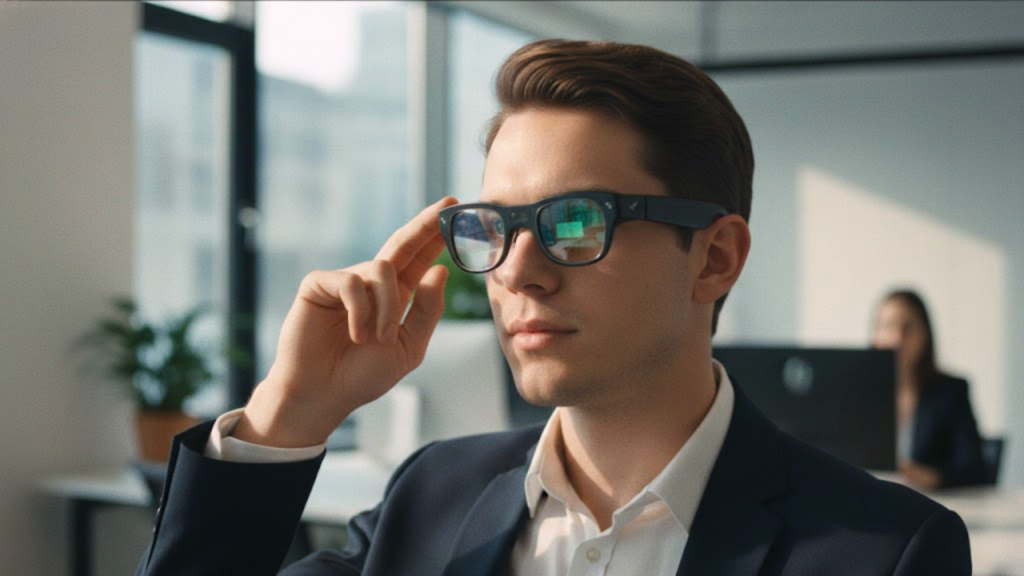
Why Brightness Tells Only Half the Story
Most AR display glasses advertise peak brightness in nits. That number matters, but it ignores how a panel handles contrast, color shift, and flicker under changing light. A bright screen that washes out in a sunlit room offers less usable clarity than a dimmer panel with proper tone mapping.
The RayNeo Air 4 Pro AR glasses pair 1,200-nit peak brightness with native HDR10 — among the first consumer AR glasses to support it. HDR10 uses 10-bit color and static metadata to give compatible displays more tone-mapping headroom. That matters below.
Real-world lighting never stays constant. A commuter moves from a dark tunnel into a bright platform in seconds. Glasses that maintain usable image quality across those shifts justify their price. The ones that do not leave you reaching for a phone.
Five Rooms, One Pair of Glasses
I ran the same test content in every scenario, with the Air 4 Pro connected via USB-C to both a MacBook Pro and a Steam Deck OLED. Three content types each stressed a different set of display characteristics:
- An HDR10 demo reel with extreme highlight and shadow transitions
- A dark scene from a streaming thriller
- A text-heavy productivity layout with white-on-dark elements
Pitch-Dark Bedroom
Black levels stood out immediately. The Micro-OLED panels delivered deep blacks with no backlight bleed. Text stayed crisp at low brightness. The 3,840Hz PWM dimming kept flicker invisible — subjectively, my eyes felt less strained after two hours compared to other pairs.
Dim Living Room
This is where HDR10 showed a clear difference. Shadow detail in dark scenes stayed visible without overblowing highlights. Switching to an SDR-only pair with the same content, those gradations appeared crushed. The Vision 4000 chip’s SDR-to-HDR upscaling also handled non-HDR content cleanly.
Office Under Fluorescent Lights
Fluorescents produce a harsh ambient wash that challenges any display panel. The Air 4 Pro held its color accuracy — 98% DCI-P3 coverage kept skin tones and UI elements consistent. White text on dark backgrounds stayed sharp without color fringing.
Sunlit Room Near a Window
This exposed the first clear limitation. Near the window, direct sunlight partially washed out the display. Moving back three feet restored visibility. At 1,200 nits, the RayNeo Air 4 Pro AR glasses held up better than lower-brightness competitors indoors, but direct sunlight remains a challenge for any Micro-OLED at this price.
Café With Shifting Light
Natural light through large windows creates a constantly shifting environment. Cloud cover and reflections alter the ambient level. The RayNeo Air 4 Pro AR glasses remained usable across these transitions. Subjectively, I rarely needed to manually adjust the brightness during a typical café session.
What Powers the Display
The raw test results trace back to three core technologies inside the Air 4 Pro. Understanding each one explains why this pair of RayNeo Air 4 Pro AR glasses performed the way it did across all five lighting scenarios.
HDR10 and the Vision 4000 Chip
The RayNeo Air 4 Pro AR glasses use a dedicated Vision 4000 display chip co-developed with Pixelworks. It processes HDR10 natively and upscales SDR content to near-HDR quality in real time. That upscaling explains the consistent shadow detail I observed even with standard streaming content.
Color and Contrast
The 0.6-inch SeeYa Micro-OLED panels support 10-bit color at professional accuracy levels (ΔE less than 2). The 200,000:1 contrast ratio produces true blacks that LCD-based alternatives struggle to match. These specs held up across both the dark bedroom test and the harsh fluorescent office.
Flicker-Free Eye Protection
The 3,840Hz PWM dimming rate sits well above the threshold where most users detect flicker. The Air 4 Pro holds TÜV SÜD certification for both low blue light and flicker-free operation. During my testing, extended sessions of 90 minutes felt subjectively more comfortable than other pairs, though individual results may vary.
How the Air 4 Pro Stacks Up
Display specs only tell part of the story when dollars are involved. I compared the RayNeo Air 4 Pro AR glasses against two well-known competitors I have tested side by side in the same lighting environments.
| Spec | RayNeo Air 4 Pro | XREAL 1S | Viture Pro XR |
|---|---|---|---|
| Peak Brightness | 1,200 nits | 700 nits | ~1,000 nits perceived |
| HDR Support | HDR10 (native, requires compatible source) | No confirmed HDR10 | No confirmed native HDR10 |
| Display | 0.6″ SeeYa Micro-OLED, 1080p | Sony Micro-OLED, 1200p | Sony Micro-OLED, 1080p |
| Weight | 76 g | 82 g | 77 g |
| Refresh Rate | Up to 120 Hz | Up to 120 Hz | Up to 120 Hz |
| Audio | B&O quad-speaker | Bose speakers | Harman spatial |
| Price | $299 | $449 | $459 |
Brightness and HDR
The XREAL 1S stands out with 1200p resolution, 52-degree FoV, and Bose-tuned audio, but its 700-nit brightness and lack of confirmed HDR10 leave it behind in mixed-light scenarios. The Viture Pro XR reaches roughly 1,000 perceived nits, though I could not confirm native HDR10 at the RayNeo Air 4 Pro AR glasses’ level.
Price and Value
At $299, the Air 4 Pro undercuts both competitors while offering HDR10 as its clearest differentiator in this price range. RayNeo, the TCL-incubated brand behind the Air 4 Pro, also sells accessories like the JoyDock gaming hub and Pocket TV streaming box that extend functionality without replacing the glasses.
Who Gets the Most Out of These
Not every buyer will benefit equally from these glasses. The RayNeo Air 4 Pro AR glasses suit certain specific use cases better than others, and my week of testing made the ideal buyer profile clear:
- Movie and streaming enthusiasts who want a 201-inch private cinema with HDR10 and Bang & Olufsen spatial audio
- Portable gamers connecting a Steam Deck, Switch 2, or PS5 via USB-C at 120Hz
- Frequent travelers who need a lightweight 76g headset that fits inside a glasses case
These are not the right choice if you need a standalone AR operating system, a built-in camera, or all-day outdoor use. For outdoor visibility, the X3 Pro with its 6,000-nit Micro-LED display targets that gap — at a higher price and in a different category.
Final Verdict
Five lighting conditions. One clear pattern. The Air 4 Pro delivered its best results in dark, dim, and standard indoor lighting. Direct sunlight pushed the Micro-OLED beyond its comfort zone, and HDR10 depends on compatible content. Even so, at $299 with HDR10 support, it ranks among the strongest value picks in its class.